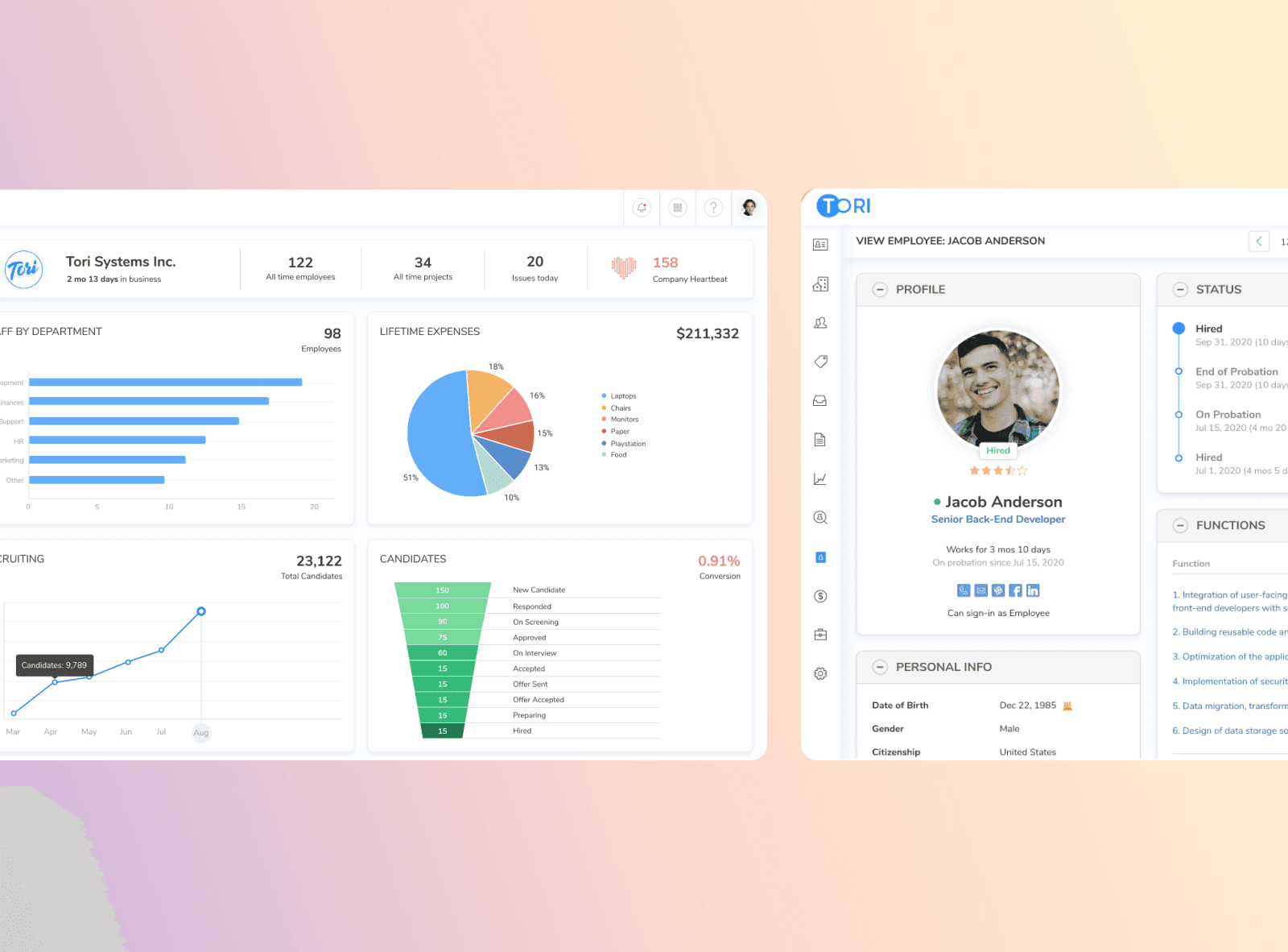
I joined the Tori team (Decima Digital company) as a Product Designer in the early stages of product development. The platform was designed to help companies automate recruitment and manage core HR operations—from sourcing and evaluating candidates to organizing internal workflows.
I worked as part of a cross-functional team that included four other designers and several developers. Together, we collaborated closely to define user needs, validate ideas, and design impactful product solutions.
In this case study, I’d like to share one of the challenges we tackled — creating a clear and actionable dashboard for HR teams and company leadership to support faster and more informed decision-making.
Managers and operational teams lacked a clear and structured way to monitor key HR metrics and process dynamics. The information was fragmented and required significant time to gather and interpret, which slowed down decision-making.
Reduce effort for leadership and HR teams to access and interpret key metrics (measured via CES).
Deliver clear value to clients, turning the dashboard into a selling point that supports new deals.
Increase user satisfaction by surfacing relevant insights in a structured, intuitive way (reflected in NPS growth).
Encourage recurring engagement by creating a dashboard users want to return to regularly.
Validate the solution through feedback loops, using client interviews and stakeholder reviews to iterate quickly and improve relevance.
Position the dashboard as a strategic tool, enhancing the perceived product value in demos and sales conversations.
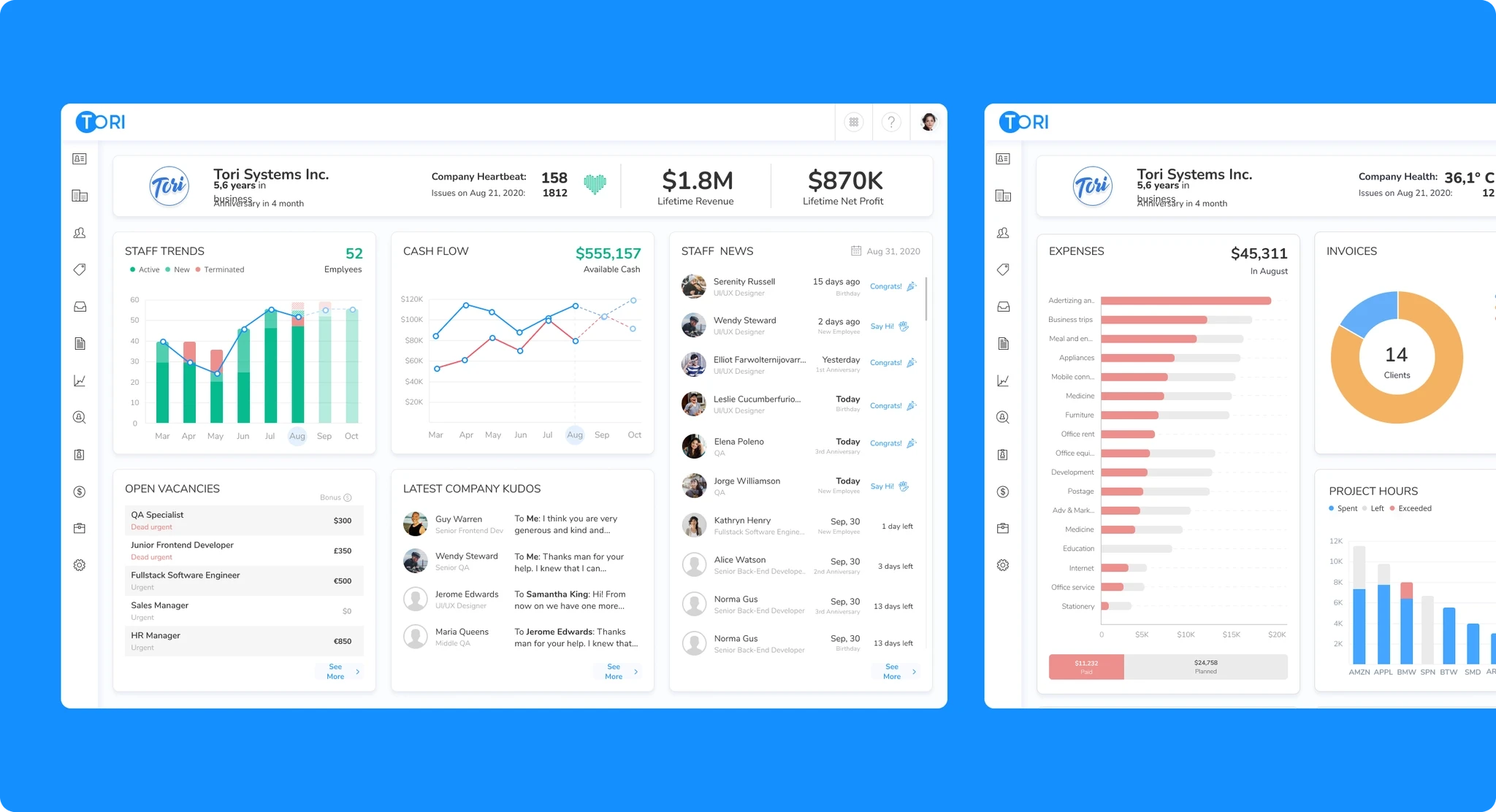
To support fast and informed decision-making across recruitment and HR operations, I designed a set of dashboards tailored to different leadership roles and business contexts. The solution included two core views: a Strategic Executive Dashboard focused on high-level business health indicators such as profit and loss, company heartbeat, and revenue trends; and an Operational HR Dashboard providing real-time insights into staffing metrics, open vacancies, payroll, employee activity, and team engagement—enabling both strategic oversight and efficient daily management.
Key hypotheses:
If we tailor dashboards by user role (strategic vs. operational) and highlight the most relevant metrics per role, users will return to the product more frequently and incorporate the dashboard into their decision-making routines.
If we present the company as a living system through a “health” indicator (e.g. heartbeat or temperature), users will feel a stronger emotional connection to their organization, better recognize moments of risk, and be more motivated to act proactively.
If we visualize key trends (e.g. staff changes, cash flow, performance issues) through clear and comparative graphs, leadership will be able to identify risks early and take action faster — reducing delays in hiring, budgeting, and team allocation.
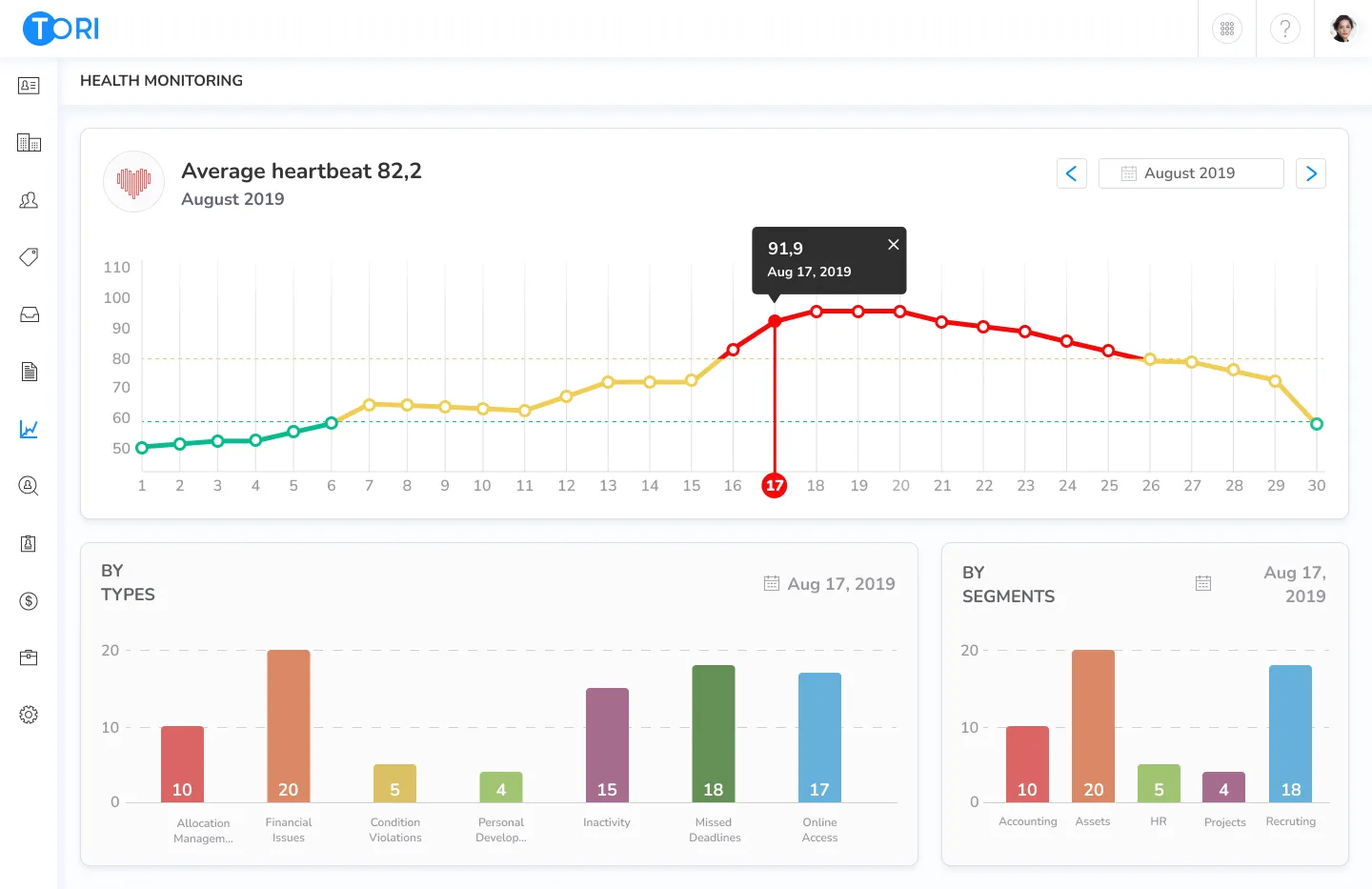
If we introduce a dedicated “Health Monitoring” screen focused solely on the company’s heartbeat indicator, users will better understand how their organizational health has changed over time, recognize trends early, and be more motivated to take preventive or corrective action when the forecast shows a potential decline.
Executive Strategic Dashboard
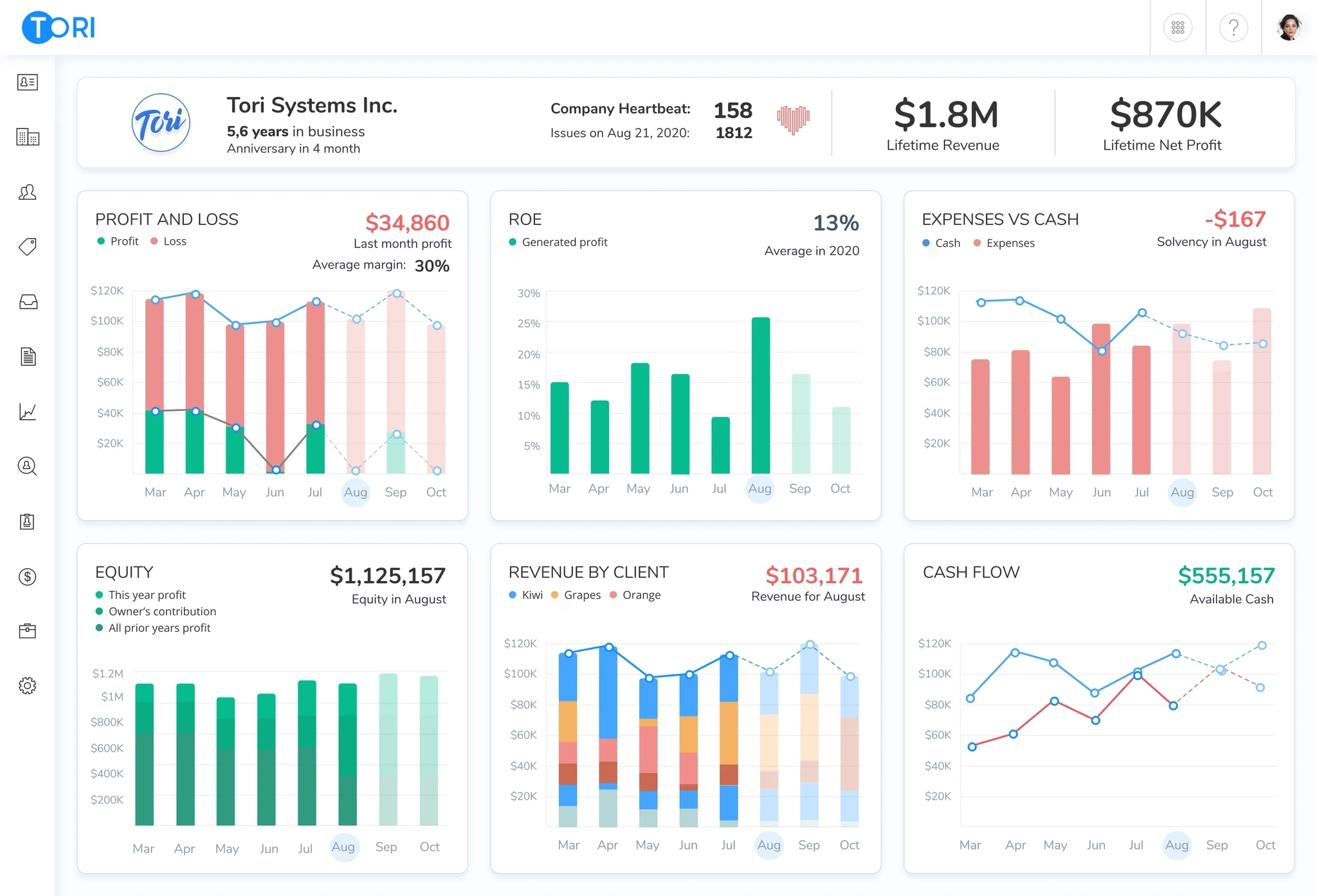
This dashboard was designed to support strategic decision-making by visualizing the company’s financial trajectory and organizational stability. It highlights core metrics such as profit and loss dynamics, ROE, equity growth, and cash flow, while also surfacing a unified “heartbeat” indicator that signals overall business health. Time-based visualizations enable leadership to track trends, detect anomalies, and assess long-term performance. The structure prioritizes clarity and comparability to reduce cognitive load during review sessions.
Executive Dashboard (General)
This dashboard was designed to support strategic decision-making by visualizing the company’s financial trajectory and organizational stability. It highlights core metrics such as profit and loss dynamics, ROE, equity growth, and cash flow, while also surfacing a unified “heartbeat” indicator that signals overall business health. Time-based visualizations enable leadership to track trends, detect anomalies, and assess long-term performance. The structure prioritizes clarity and comparability to reduce cognitive load during review sessions.
Operational Dashboard
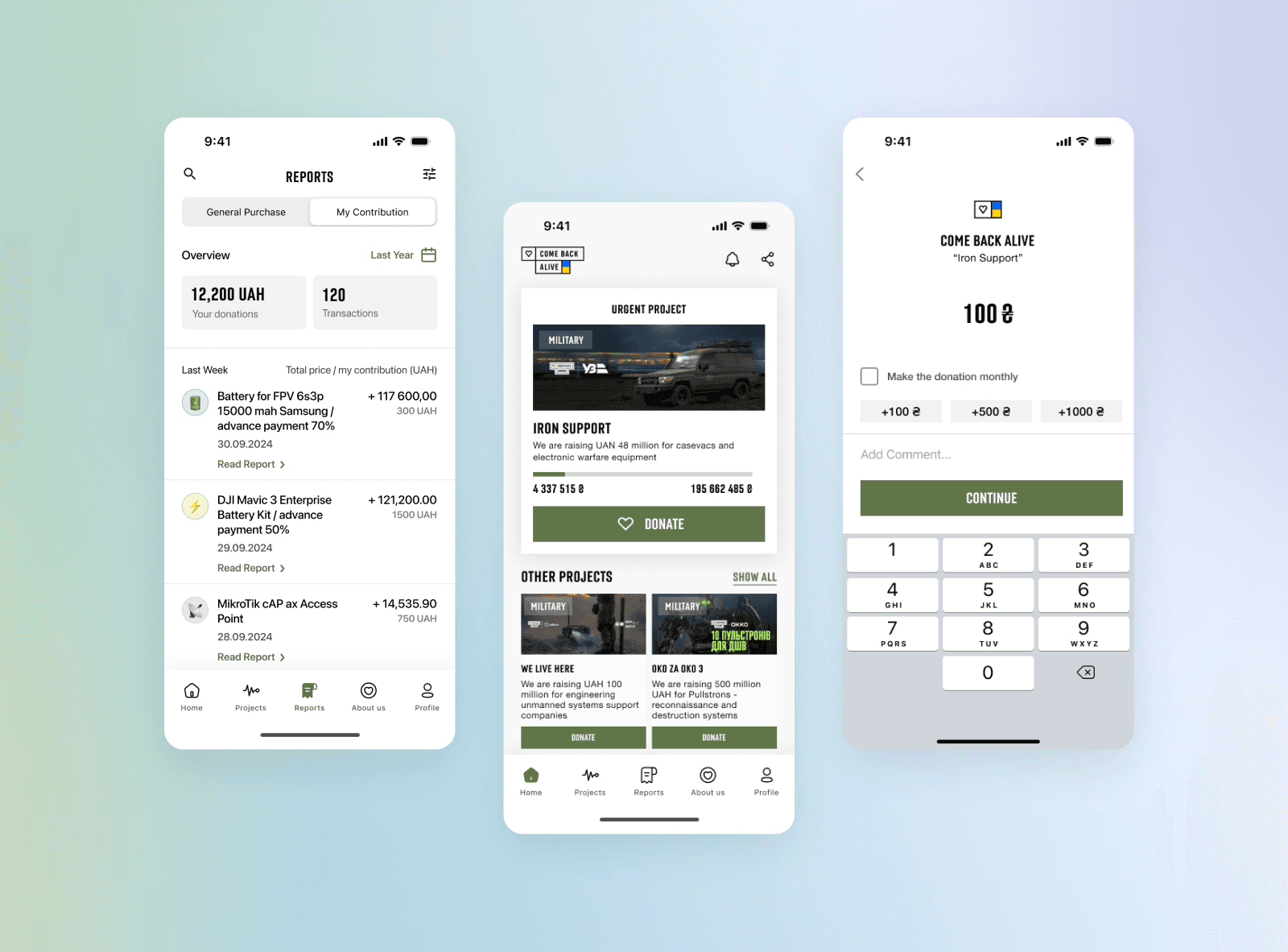
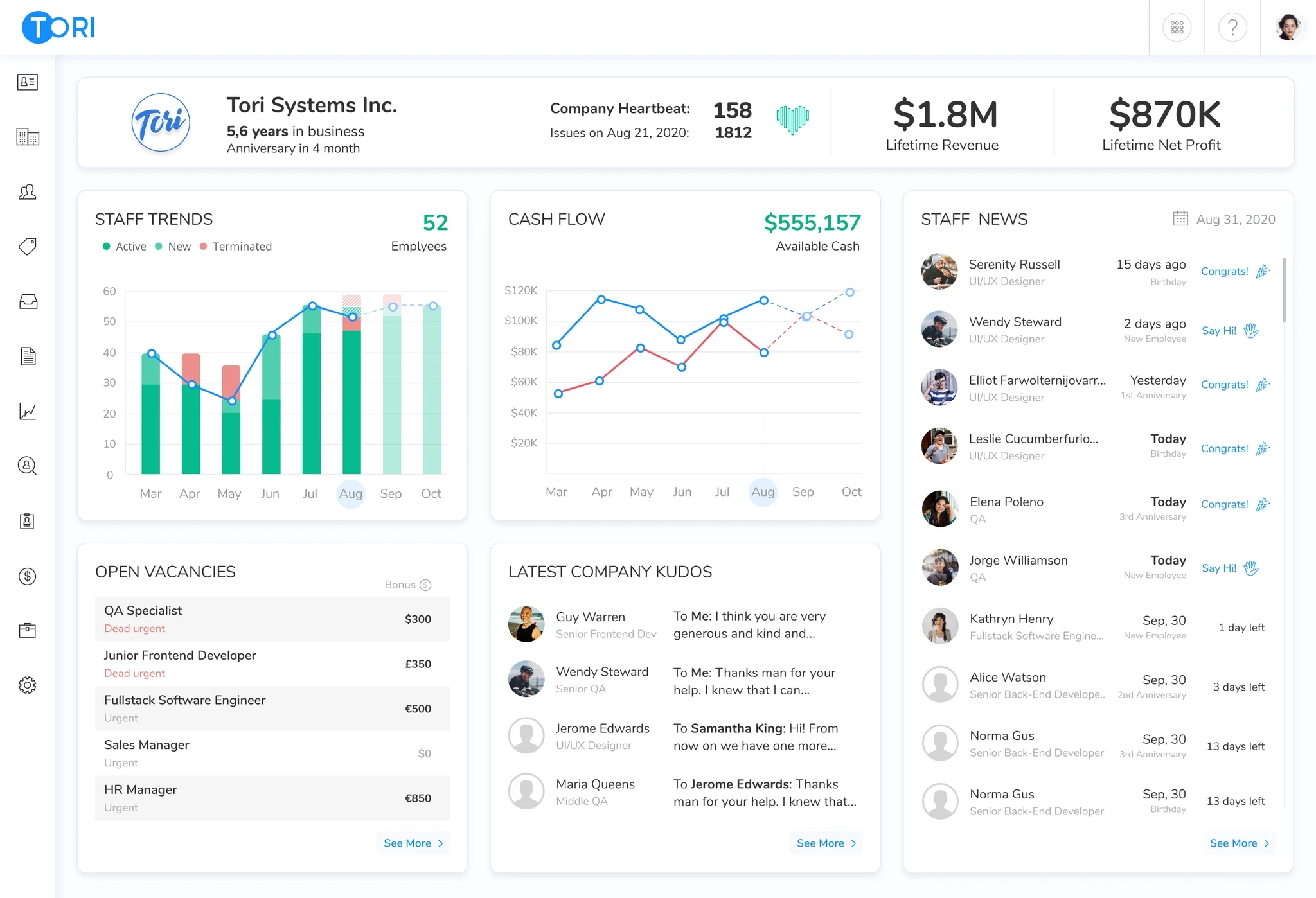
This dashboard was built to support day-to-day operational oversight by surfacing critical workload, payroll, and resource allocation metrics in one place. It allows HR and operations teams to monitor expenses, project hours, employee time distribution, and salary review alerts — helping identify inefficiencies, overuse, or idle capacity. Visual breakdowns of invoices, payroll structure, and attendance patterns provide transparency across departments. The interface is structured to prioritize clarity, enabling fast diagnosis of operational issues and timely resource planning.
Expanded View
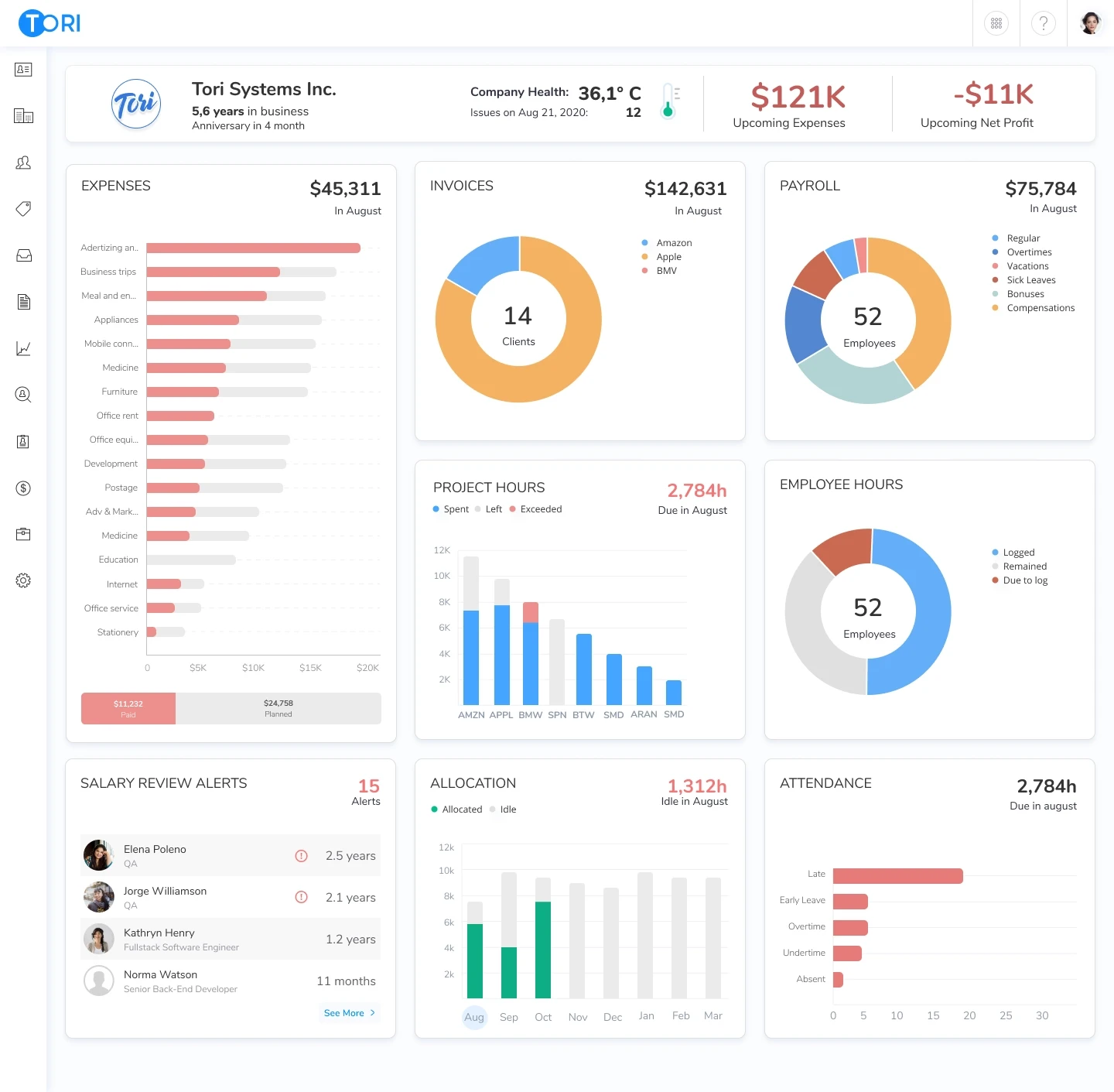
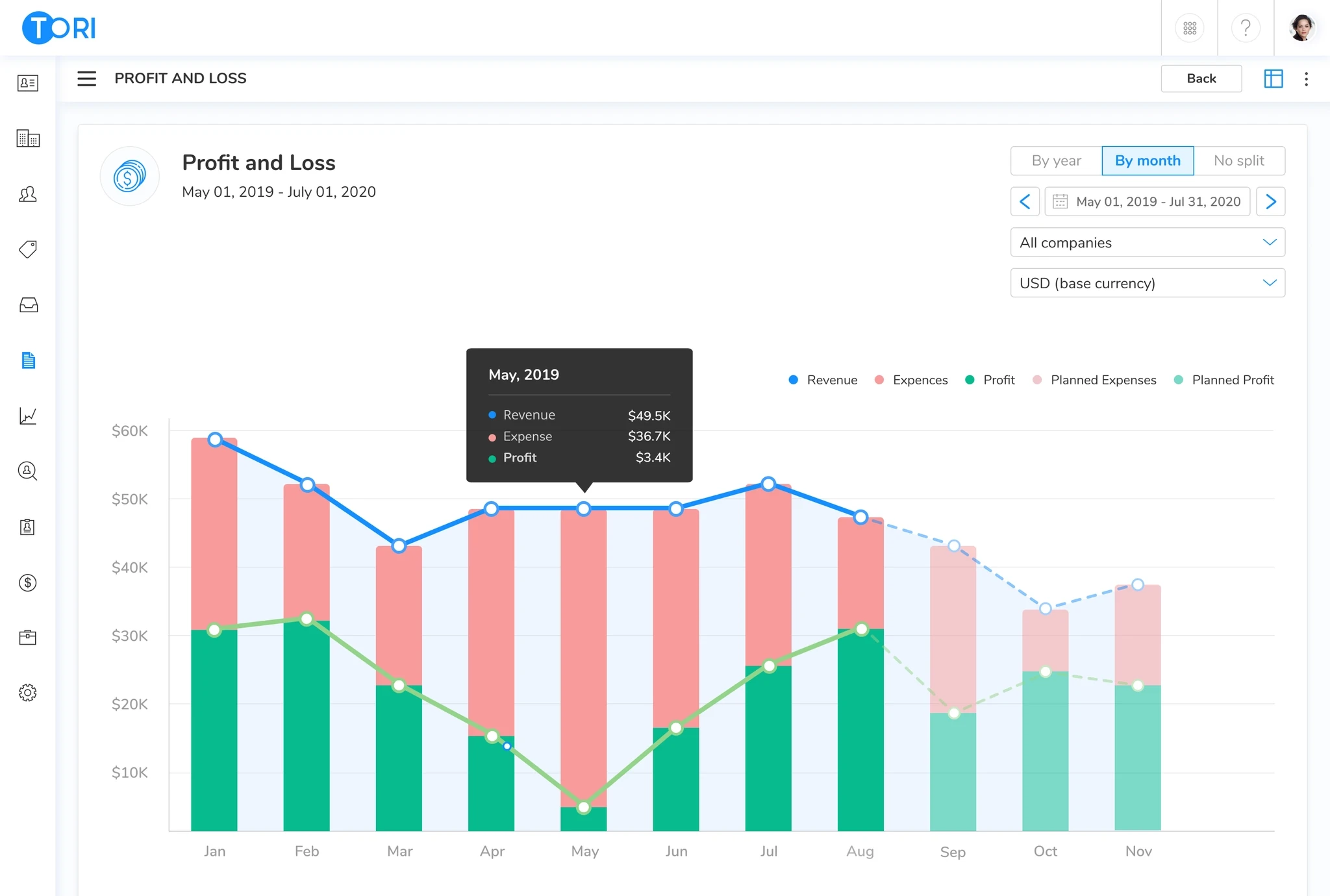
The full widget provides an expanded view from the executive dashboard. It enables users to dive deeper into financial performance, compare actuals vs. planned values, and filter data by date range, company, or currency. The detailed breakdown of revenue, expenses, and profit supports budget control and trend analysis across time. This view is designed to complement the high-level dashboard by offering more context for strategic and financial decisions.
Health Monitoring
Focused view on the company’s core health indicator — the heartbeat — visualized as a time series chart to reflect organizational stability and internal risks. Users can observe fluctuations over time and identify critical drops or improvements, supported by daily metrics and thresholds. Breakdowns by issue type and business segment help contextualize changes and locate the source of problems. This section is designed to create emotional awareness around organizational well-being and to encourage proactive actions when performance signals begin to deteriorate.
The dashboards significantly improved the product experience and contributed to key outcomes:
✅ Customer Effort Score (CES) increased from 3.5 → 4.8, indicating reduced friction in accessing insights.
📈 Net Promoter Score (NPS) grew from 26 → 47 among active dashboard users
🤝 Helped close 20+ new enterprise deals, where the dashboard was cited as a key selling point;
🔁 Return rate of executive users grew by +27,5% after launch;
📉 Support requests related to analytics/reporting dropped by 45%.
Clients highlighted the dashboard as a turning point for clarity and decision-making:
"This makes hiring conversations with my CEO 10× easier."
"I finally have everything I need in one place, without jumping between tabs."
"The dashboard is clean, fast, and exactly what I've been missing."
Designing for decision-makers taught me that less is often more. Executives don't need all the data, they need the right data at the right moment. The biggest design challenge wasn't building the widgets, it was deciding what not to show. Every element on the screen had to earn its place by answering a real question a user would actually ask.